Inbox Zero in Under 30 Minutes: Conquer Email Overload Now
Achieving inbox zero in under 30 minutes is entirely possible with the right strategies, allowing you to effectively manage email overload, reduce stress, and significantly boost your daily productivity.
Are you constantly battling a never-ending stream of emails? Do you feel overwhelmed by your inbox, wishing you could achieve that elusive state of calm and control? This guide on Inbox Zero in Under 30 Minutes: Proven Strategies to Conquer Email Overload and Reclaim Your Day will empower you with actionable techniques to transform your email habits and significantly boost your productivity.
Understanding the Inbox Zero Philosophy
The concept of inbox zero is more than just having an empty email inbox; it’s a productivity methodology designed to help you process emails efficiently and make quick decisions about each message. It’s about reducing the cognitive load that a cluttered inbox places on your mind, allowing you to focus on more important tasks without the constant distraction of unread messages.
Many people misunderstand inbox zero, believing it means responding to every email immediately. In reality, it’s about processing. This means either deleting, delegating, responding, or deferring each email. The goal is to touch each email once and decide its fate, preventing it from lingering and becoming a source of stress or forgotten tasks.
The psychological impact of a cluttered inbox
A full inbox can be a significant source of anxiety and stress. Each unread email represents an open loop in your mind, demanding attention and draining your mental energy. This constant state of low-level stress can impact your overall productivity and well-being, making it harder to concentrate on deep work.
- Increased stress: The visual clutter of unread emails can trigger feelings of being overwhelmed.
- Reduced focus: Constant notifications and the urge to check email disrupt concentration.
- Missed opportunities: Important emails can get lost in a sea of less critical messages.
- Decision fatigue: The sheer volume of emails can make it difficult to decide how to handle each one.
By adopting the inbox zero philosophy, you’re not just organizing your emails; you’re decluttering your mind. This leads to a clearer focus, reduced stress, and ultimately, greater efficiency in your daily work. It’s a powerful habit that, once established, can significantly improve your relationship with digital communication.
Setting Up Your Email Environment for Success
Before diving into processing emails, it’s crucial to optimize your email environment. A well-organized setup can drastically reduce the time you spend managing your inbox. This includes choosing the right tools, configuring settings, and establishing a logical folder structure that supports quick decision-making.
Think of your email client as your workspace. Just as you wouldn’t work in a messy physical office, your digital workspace should be clean and efficient. This initial investment in setup will pay dividends in time saved and reduced frustration down the line. It’s about creating a system that works for you, rather than constantly reacting to incoming messages.
Leveraging email filters and rules
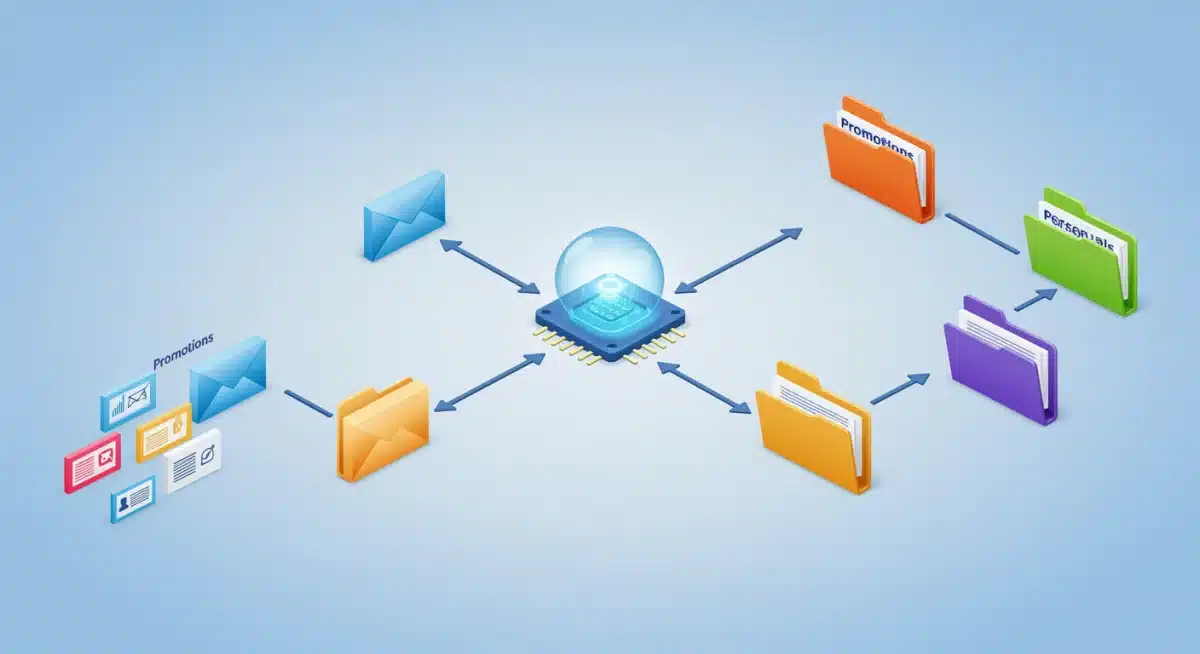
One of the most powerful tools for maintaining inbox zero is the intelligent use of email filters and rules. These automated processes can sort incoming emails into designated folders, mark them as read, or even delete them before they ever reach your primary inbox. This significantly reduces the volume of messages you need to manually process.
- Identify recurring emails: Newsletters, automated reports, and marketing emails are prime candidates for filtering.
- Create specific folders: Set up folders for projects, clients, or types of information that don’t require immediate action.
- Automate actions: Configure rules to move emails from specific senders or with certain keywords directly to these folders.
- Prioritize important senders: Ensure emails from key contacts always land in your main inbox or are flagged for priority.
By strategically implementing filters and rules, you can ensure that only truly essential emails demand your immediate attention. This proactive approach prevents your inbox from becoming a dumping ground and helps you maintain a clear focus on what matters most. It’s a foundational step towards achieving true email mastery.
The 30-Minute Email Processing Sprint
The core of achieving inbox zero in under 30 minutes lies in a focused, disciplined processing sprint. This isn’t about aimlessly scrolling; it’s about making rapid decisions and taking swift action on each email. It requires a dedicated block of time, free from distractions, to clear your inbox with precision.
This sprint should become a regular habit, ideally performed once or twice a day. The consistency is key to preventing email buildup. Approach it with the mindset of a surgeon: quick, decisive, and efficient. Every second counts in this focused effort to reclaim your inbox.
The D-L-R-D method: delete, delegate, respond, defer
This four-pronged approach is the cornerstone of efficient email processing. For every email, you must make one of these four decisions. There are no other options, forcing you to act rather than procrastinate.
- Delete: If an email is junk, irrelevant, or no longer needed, delete it immediately. Don’t let it consume mental space.
- Delegate: If an email requires action from someone else, forward it to the appropriate person and archive your copy.
- Respond: If an email requires a quick reply (under two minutes), respond immediately. Avoid overthinking short replies.
- Defer: If an email requires more significant action or thought, move it to a ‘To Do’ folder or add it to your task list, then archive it from your inbox.
By strictly adhering to the D-L-R-D method, you prevent emails from lingering in your inbox. Each decision clears a message, moving you closer to your inbox zero goal. This systematic approach transforms email management from a daunting chore into a manageable, efficient process.
Advanced Strategies for Sustained Inbox Zero
Once you’ve mastered the basic sprint, advanced strategies can help you maintain inbox zero consistently and prevent email overload from creeping back. These techniques focus on proactive management, reducing incoming volume, and optimizing your overall email workflow to ensure long-term success.
Sustaining inbox zero isn’t just about clearing your inbox; it’s about building habits that prevent it from filling up in the first place. This requires a shift in mindset from reactive to proactive, taking control of your communication rather than letting it control you. Implement these strategies to solidify your email management prowess.
Batching and scheduling email checks

Resist the urge to check your email constantly throughout the day. Instead, schedule specific times for email processing. This technique, known as batching, minimizes interruptions and allows for focused work during non-email times. Constant email checking fragments your attention and reduces overall productivity.
- Designate specific times: For example, check emails at 9 AM, 1 PM, and 4 PM.
- Turn off notifications: During your focused work periods, disable all email alerts to avoid distractions.
- Communicate your availability: Let colleagues know when they can expect a response, managing expectations.
- Use auto-responders for emergencies: If truly necessary, an auto-responder can inform others of your response schedule.
Batching your email checks trains you to trust that important messages will be handled during your scheduled times, freeing your mind to concentrate on other tasks. This deliberate approach to email management is a powerful tool for maintaining focus and achieving sustained inbox zero.
Taming the Newsletter Beast and Unsubscribe Power
Newsletters and marketing emails are often major contributors to inbox clutter. While some provide valuable information, many are simply distractions that consume your attention without offering significant benefit. Learning to effectively manage these subscriptions is crucial for maintaining an uncluttered inbox and preventing email overload.
Don’t be afraid to be ruthless when it comes to newsletters. Your inbox is a tool for communication and productivity, not a repository for every marketing offer or company update. Taking control of your subscriptions is a quick win in the battle against email overwhelm, making your inbox a more intentional space.
The unsubscribe button is your friend
Many people hesitate to unsubscribe, fearing they might miss something important. However, the mental peace gained from a cleaner inbox often far outweighs the potential loss of a rarely-read email. Make it a habit to unsubscribe from anything that doesn’t add immediate value to your life or work.
- Review subscriptions regularly: Dedicate a few minutes each week to scan for unwanted newsletters.
- Use a dedicated unsubscribe service: Tools like Unroll.me can help you quickly unsubscribe from multiple lists at once.
- Consider a separate email address: For sign-ups that you suspect will lead to spam, use a secondary email.
- Be decisive: If you haven’t read an email from a sender in weeks, it’s probably safe to unsubscribe.
By actively managing your subscriptions, you’ll significantly reduce the volume of incoming mail, making your 30-minute inbox zero sprint even more effective. This simple yet powerful strategy puts you back in control of what enters your digital space, fostering a more focused and less distracted work environment.
Tools and Habits for Long-Term Email Mastery

Achieving inbox zero isn’t a one-time event; it’s an ongoing practice supported by the right tools and consistent habits. Beyond the immediate processing strategies, incorporating certain technologies and behavioral changes can ensure your email management remains efficient and stress-free in the long run. These elements form the backbone of sustainable email mastery.
Think of these as your long-term investment in email well-being. Just as you maintain your physical health with good habits, nurturing your digital habits ensures your email remains a productivity asset, not a liability. Embrace these tools and practices to solidify your control over your inbox for years to come.
Leveraging email management tools
Modern email clients and third-party applications offer a wealth of features designed to streamline email management. From smart search functions to snooze options, these tools can significantly enhance your ability to process and organize messages effectively.
- Smart search: Master your email client’s search functions to quickly locate archived messages without endless scrolling.
- Snooze features: For emails that require action but not immediately, use a ‘snooze’ function to resurface them at a more appropriate time.
- Templates: For frequently asked questions or common responses, create email templates to save time and ensure consistency.
- Task integration: Link your email client with your task management system to seamlessly convert emails into actionable tasks.
Beyond tools, cultivating specific habits is paramount. This includes being concise in your own emails to reduce back-and-forth, setting clear expectations for response times, and regularly reviewing your email workflow for areas of improvement. By combining smart tools with disciplined habits, you can achieve true email mastery and keep your inbox at zero without constant struggle.
| Key Strategy | Brief Description |
|---|---|
| Inbox Zero Philosophy | Process emails quickly: delete, delegate, respond, or defer to clear your inbox. |
| Email Environment Setup | Utilize filters and rules to automate sorting and reduce incoming email volume. |
| 30-Minute Processing Sprint | Dedicated, distraction-free time to rapidly apply the D-L-R-D method to all emails. |
| Taming Newsletters | Regularly unsubscribe from irrelevant lists to reduce inbox clutter and distractions. |
Frequently Asked Questions About Inbox Zero
Inbox Zero is a personal productivity methodology where the goal is to keep your email inbox empty or almost empty. It doesn’t mean responding to every email immediately, but rather processing each message by deciding to delete, delegate, respond, or defer it, preventing clutter and mental overload.
Yes, it is entirely realistic with consistent practice and the right strategies. By implementing email filters, scheduling dedicated processing sprints, and adhering to the D-L-R-D method, you can significantly reduce the time needed to clear your inbox daily, often well within 30 minutes.
The D-L-R-D method stands for Delete, Delegate, Respond, and Defer. For every email, you choose one of these actions. Delete if irrelevant, Delegate if for someone else, Respond if it takes less than two minutes, and Defer if it requires more extensive action, moving it to a task list.
Email filters and rules automate the sorting of incoming messages. They can move newsletters to specific folders, mark certain emails as read, or even delete spam before it reaches your main inbox. This automation drastically reduces the number of emails you manually need to process, saving significant time.
Scheduling specific times to check emails, known as batching, prevents constant interruptions throughout your workday. By turning off notifications and dedicating focused blocks of time to email processing, you improve concentration on other tasks, reduce context switching, and enhance overall productivity and focus.
Conclusion
Achieving and maintaining inbox zero is not merely about having an empty email folder; it’s a profound shift towards greater productivity, reduced stress, and reclaimed mental clarity. By understanding the core philosophy, optimizing your email environment with filters, consistently applying the D-L-R-D method within a focused sprint, and proactively managing subscriptions, you can conquer email overload. Embrace these proven strategies, and you’ll find yourself not only clearing your inbox in under 30 minutes but also enjoying a more focused and less distracted professional life. The power to transform your email habits and reclaim your day is well within your grasp.