Ergonomic Home Office: Healthier Setup for Comfort & Productivity
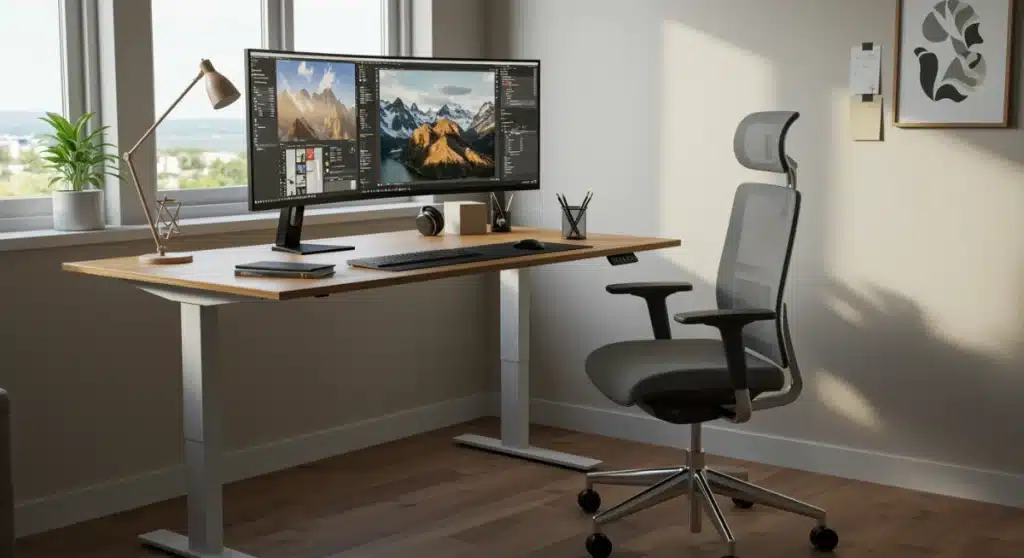
Optimizing your home office with ergonomic furniture is essential for promoting long-term health, enhancing comfort, and significantly boosting productivity, preventing common issues like back pain and eye strain.
Creating the best ergonomic furniture for a healthier and comfortable home office setup is no longer a luxury but a necessity in today’s remote-work landscape. As more individuals transition to working from home, the importance of a well-designed workspace that supports physical well-being and enhances productivity cannot be overstated. This guide will walk you through the essential pieces of ergonomic furniture and how they contribute to a healthier, more comfortable, and ultimately, more productive work environment.
understanding ergonomics: more than just comfort
Ergonomics is the science of designing and arranging things people use so that the people and things interact most efficiently and safely. In the context of a home office, this means optimizing your workspace to fit your body and work habits, rather than forcing your body to adapt to an ill-suited environment. It’s about preventing discomfort, reducing the risk of musculoskeletal disorders, and improving overall well-being. Many people mistakenly believe ergonomics is just about comfort, but it’s fundamentally about health and efficiency.
The principles of ergonomics are rooted in understanding human anatomy, physiology, and psychology. When applied to office furniture, these principles guide the design of chairs, desks, and accessories that support natural posture, reduce strain, and promote movement. A truly ergonomic setup considers various aspects of your interaction with your workspace, from the height of your monitor to the position of your keyboard and mouse, ensuring every element works in harmony with your body.
the core principles of ergonomic design
- Neutral Posture: Maintaining natural spinal curves, relaxed shoulders, and neutral wrist positions.
- Adjustability: Furniture that can be easily customized to fit individual body types and preferences.
- Reduced Force and Repetition: Minimizing physical effort and repetitive motions that can lead to injury.
- Proper Lighting: Ensuring adequate, glare-free illumination to prevent eye strain.
Ultimately, understanding ergonomics involves recognizing that every individual is unique, and a one-size-fits-all approach to office furniture is ineffective. Investing in ergonomic solutions means investing in your long-term health and productivity, transforming your home office from a potential source of pain into a sanctuary of efficient work.
the ergonomic office chair: your foundation for health
The ergonomic office chair is arguably the most critical component of a healthy home office setup. It’s where you spend the majority of your working hours, and a poorly designed chair can lead to a myriad of health issues, including back pain, neck strain, and poor circulation. A high-quality ergonomic chair offers comprehensive support, promoting proper posture and reducing pressure points.
When selecting an ergonomic chair, look for features that allow for extensive adjustability. This includes seat height, depth, and tilt, as well as lumbar support, armrest height, and backrest recline. The ability to customize these elements ensures that the chair can be tailored to your unique body dimensions, providing optimal support for your spine and limbs. Remember, a chair that looks good may not necessarily be good for your body.
key features to look for in an ergonomic chair
- Lumbar Support: Adjustable to match the natural curve of your lower back.
- Seat Depth: Allows you to sit with your back against the backrest while leaving 2-4 inches between the seat edge and the back of your knees.
- Armrests: Adjustable in height and pivot to support your arms and shoulders, keeping them relaxed.
- Breathable Material: Helps regulate temperature and prevent discomfort during long hours of sitting.
Investing in a premium ergonomic chair is a significant step towards creating a healthier and more comfortable home office. It’s not just about comfort; it’s about providing your body with the necessary support to maintain good posture and prevent the cumulative stress that can lead to chronic pain and other health problems.
adjustable standing desks: dynamic work for better well-being
While an ergonomic chair is crucial for sitting, prolonged sitting itself has been linked to various health risks. This is where the adjustable standing desk comes into play, offering a dynamic solution that allows you to seamlessly switch between sitting and standing throughout your workday. This alternation helps to reduce the negative effects of prolonged sitting, such as poor circulation, muscle stiffness, and increased risk of chronic diseases.
An adjustable standing desk, also known as a sit-stand desk, empowers you to change your working posture frequently. This movement is vital for maintaining energy levels, improving focus, and reducing physical discomfort. Many modern adjustable desks come with electric motors and memory presets, making it effortless to transition between your preferred sitting and standing heights with the touch of a button. Manual crank desks are also available for those on a tighter budget, though they require more effort to adjust.
benefits of incorporating a standing desk
- Reduced Back Pain: Standing can alleviate pressure on the spine compared to sitting.
- Increased Energy Levels: Movement helps combat fatigue and keeps you more alert.
- Improved Circulation: Standing promotes better blood flow throughout the body.
- Enhanced Productivity: Many users report increased focus and efficiency when using a standing desk.
When choosing an adjustable standing desk, consider its stability, the range of height adjustment, and its weight capacity. A sturdy desk will minimize wobble, especially when typing or writing, and a wide height range ensures it can accommodate users of different statures. Pairing your standing desk with an anti-fatigue mat can further enhance comfort when standing for extended periods, making the transition to a more dynamic workday even smoother.
ergonomic accessories: perfecting your workspace
Beyond the chair and desk, a variety of ergonomic accessories can further refine your home office setup, addressing specific areas of potential strain and enhancing overall comfort. These smaller, yet impactful, items play a crucial role in maintaining neutral postures and reducing repetitive stress injuries. From keyboard and mouse choices to monitor placement, each accessory contributes to the holistic ergonomic experience.
Consider an ergonomic keyboard and mouse. These are designed to keep your wrists and hands in a more natural, relaxed position, mitigating the risk of carpal tunnel syndrome and other repetitive strain injuries. Split keyboards, vertical mice, and trackballs are popular options that encourage a healthier hand and wrist alignment. The goal is to minimize pronation and extension, allowing your limbs to remain in a neutral state as much as possible.

essential ergonomic accessories for optimal comfort
- Monitor Arm: Allows for precise positioning of your screen at eye level, reducing neck strain.
- Footrest: Supports your feet and legs, promoting proper circulation and reducing pressure on your lower back when sitting.
- Keyboard Tray: Positions your keyboard and mouse at an optimal height below the desk surface, keeping your elbows at a 90-degree angle.
- Anti-Fatigue Mat: Provides cushioning and support when standing, reducing leg and foot fatigue.
Each of these accessories, when chosen carefully and integrated thoughtfully, contributes significantly to creating a fully optimized and comfortable home office. They are not merely add-ons but integral parts of a complete ergonomic strategy, ensuring every aspect of your interaction with your workspace supports your health.
lighting and environment: setting the mood for productivity
While furniture is central to ergonomics, the surrounding environment, particularly lighting, plays a crucial role in your comfort and productivity. Poor lighting can lead to eye strain, headaches, and overall fatigue, diminishing the benefits of even the most perfectly selected ergonomic furniture. Creating an optimal lighting scheme involves balancing natural and artificial light sources.
Positioning your desk to take advantage of natural light is ideal, but avoid direct glare on your screen. If natural light is insufficient, invest in adjustable task lighting that can be directed to illuminate your workspace without causing reflections or harsh shadows. Dimmable lamps with adjustable color temperatures can further enhance comfort, allowing you to adapt the lighting to different tasks and times of day. The goal is to create a well-lit, yet comfortable, visual environment.

creating an ergonomic lighting and environmental setup
Consider the color temperature of your light sources. Cooler, bluer light (around 5000K-6500K) can enhance alertness and focus, while warmer, yellower light (2700K-3000K) promotes relaxation. Having options to switch between these can be beneficial depending on your task and personal preference. Beyond lighting, elements like air quality, temperature, and even the presence of plants can impact your comfort and overall well-being. A well-ventilated room with a comfortable ambient temperature contributes significantly to a pleasant working atmosphere.
Incorporating plants, for instance, not only adds aesthetic appeal but can also improve air quality and reduce stress. Minimizing clutter and organizing your workspace also plays a psychological role, reducing mental fatigue and helping you stay focused. A clean and orderly environment contributes to a calm and productive mindset, making your ergonomic home office a truly holistic space for well-being.
implementing and maintaining your ergonomic setup
Setting up your ergonomic home office is just the first step; proper implementation and ongoing maintenance are crucial for maximizing its benefits. Even with the best ergonomic furniture, incorrect usage can negate its advantages. It’s essential to understand how to adjust each piece of furniture to fit your body perfectly and to regularly reassess your setup as your needs evolve.
Begin by adjusting your chair: set the seat height so your feet are flat on the floor or a footrest, with your knees at a 90-degree angle. Ensure your lumbar support aligns with the natural curve of your lower back. Next, adjust your monitor: the top of your screen should be at or slightly below eye level, and it should be about an arm’s length away. Your keyboard and mouse should be positioned close to your body, allowing your elbows to remain at a 90-degree angle and your wrists straight.
tips for maintaining an ergonomic workspace
- Regular Breaks: Stand up, stretch, and move around every 30-60 minutes to prevent stiffness.
- Listen to Your Body: Pay attention to any discomfort and adjust your setup accordingly.
- Stay Hydrated: Keep water nearby to encourage regular hydration, which also prompts short breaks.
- Exercise Regularly: Complement your ergonomic setup with physical activity to strengthen core muscles and improve flexibility.
Periodically review your posture and workspace. Are you slouching? Is your monitor still at the right height? Small adjustments can make a big difference over time. Maintaining an ergonomic home office is an ongoing process that requires active participation, but the rewards in terms of health, comfort, and productivity are well worth the effort.
the long-term benefits of an ergonomic investment
Investing in the best ergonomic furniture for a healthier and more comfortable home office setup is not merely an expense; it’s a strategic investment in your long-term health, well-being, and professional productivity. The immediate benefits of reduced discomfort and increased focus quickly translate into more sustainable work habits and a significant improvement in overall quality of life. Thinking about your workspace holistically, from the largest furniture pieces to the smallest accessories, ensures a comprehensive approach to ergonomics.
A well-designed ergonomic workspace can significantly reduce the risk of developing chronic conditions such as carpal tunnel syndrome, repetitive strain injuries, and persistent back and neck pain. These conditions not only cause discomfort but can also lead to decreased productivity, increased healthcare costs, and a diminished ability to enjoy personal activities. By proactively addressing these risks, an ergonomic setup acts as a preventative health measure.
transforming your work life with ergonomics
Beyond physical health, the psychological benefits of an ergonomic home office are profound. A comfortable and supportive environment reduces stress and mental fatigue, allowing for greater concentration and creativity. When you’re not constantly battling discomfort, your mind is free to focus on tasks, leading to higher quality work and a greater sense of accomplishment. This positive feedback loop reinforces good habits and fosters a more enjoyable work experience.
Moreover, an ergonomic setup promotes better work-life balance. By creating a dedicated, comfortable, and efficient workspace, you can delineate boundaries between work and personal life more effectively. This clarity helps in being fully present in both domains, enhancing overall satisfaction. The long-term advantages of an ergonomic investment extend far beyond the workday, impacting your physical and mental health for years to come.
| Key Component | Primary Benefit |
|---|---|
| Ergonomic Chair | Supports natural spinal curves and reduces back pain. |
| Adjustable Standing Desk | Allows dynamic posture changes, improving circulation and focus. |
| Ergonomic Accessories | Minimizes strain on wrists, neck, and eyes with proper alignment. |
| Optimal Lighting | Reduces eye strain and enhances visual comfort and alertness. |
frequently asked questions about ergonomic home offices
The ergonomic office chair is generally considered the most important piece. It provides foundational support for your spine and posture, directly impacting your comfort and health during prolonged sitting. Proper adjustability ensures it fits your unique body dimensions.
It’s recommended to alternate between sitting and standing every 30 to 60 minutes. This regular movement helps to improve circulation, reduce muscle stiffness, and maintain energy levels throughout your workday, preventing the negative effects of prolonged static postures.
Yes, when used correctly, ergonomic furniture can significantly reduce the risk of pain and injuries like back pain, carpal tunnel syndrome, and neck strain. It promotes neutral postures and minimizes repetitive stress, contributing to long-term musculoskeletal health and comfort.
For individuals spending many hours typing, ergonomic keyboards and mice are highly beneficial. They are designed to keep your wrists and hands in a more natural position, reducing strain and preventing repetitive stress injuries. They are a worthwhile investment for hand and wrist health.
Proper lighting is crucial for an ergonomic home office. It prevents eye strain, headaches, and fatigue. Balancing natural light with adjustable task lighting, and avoiding glare, creates a visually comfortable environment that supports focus and overall well-being.
conclusion
The journey to creating the best ergonomic furniture for a healthier and more comfortable home office setup is an investment in your personal and professional well-being. By carefully selecting and properly utilizing ergonomic chairs, adjustable standing desks, and essential accessories, you can transform your workspace into a haven of productivity and health. This holistic approach not only alleviates discomfort but also fosters a more dynamic, focused, and ultimately more enjoyable work experience, ensuring that your home office supports your body as much as it supports your career aspirations.